Desk and Chair Setup: A Sequenced, Practicable Path
Because chair and desk settings affect each other, the right result comes from small adjustments made in the right order.
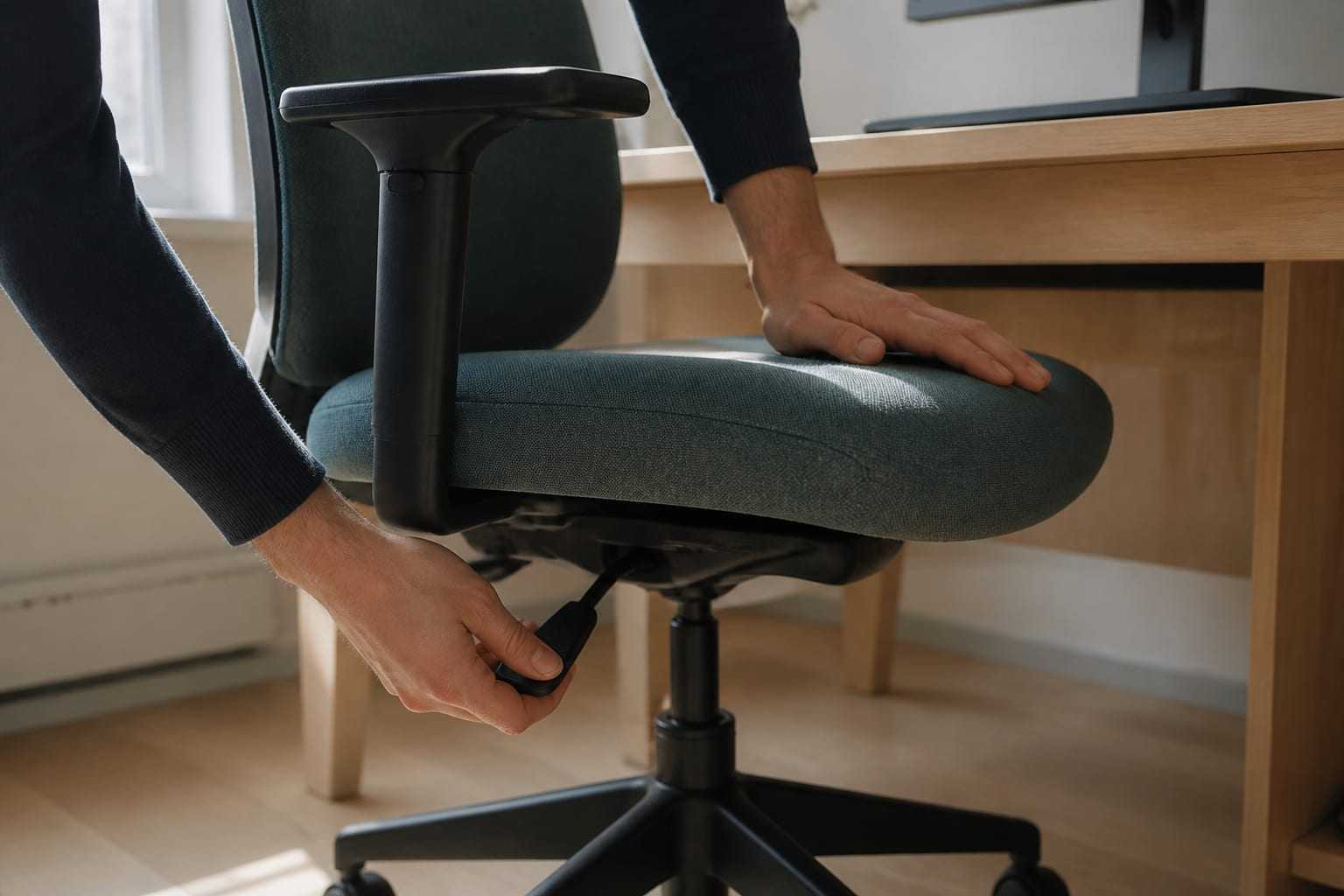
The most common mistake in chair and desk settings is to treat them one by one. These elements are linked in a chain: when you change chair height, your elbow height — and therefore your relationship with the keyboard — changes; when keyboard height changes, your eye line — and therefore your screen setting — changes. That is why the order matters.
The steps below are based on principles that appear in international ergonomics guidance. The ranges given are starting points to be adapted to the person; they are not exact measures. You can look at the topic as a whole from the office ergonomics guide.
Order of adjustment: why this sequence?
Starting from the lower body and moving upward is the path that requires the fewest returns:
- Chair height
- Seat depth
- Back support and lumbar support
- Armrest
- Desk and keyboard relationship
- A footrest where needed
- The screen last
After each step, try a few minutes of your normal work. Looking at how you feel while working, rather than checking posture in a mirror, is a more reliable measure.
1. Chair height
The measure is simple: while the whole of the sole of your foot can settle on the floor, the back of your knee should sit a little above the seat surface. OSHA’s guide defines chair height through this relationship; the aim is for the thighs and hips to be supported and the knees to be roughly at hip height.
Practical application:
- Sit fully in the chair and bring your back close to the back support.
- If your feet are in the air, lower the chair.
- If your knees sit markedly higher than your hips and you feel a rounding in the low back, raise the chair a little.
Note: At this step we are not yet accounting for the desk. We are adjusting the chair to your body, not to the desk.
2. Seat depth
When the seat surface is too long, the front edge presses on the back of the knee and the person moves away from the back support. When it is too short, the thigh is not supported enough.
The aim: a few fingers’ width of space should remain between the front edge of the seat surface and the back of your knee, and most of your thigh should be supported. If your chair has a seat-depth setting (the seat surface slides forward–back, or the back support moves forward–back), use it. If there is no setting, adding a thin support to the backrest gives a similar effect.
3. Back support and lumbar support
The function of the back support is to carry your trunk. The aim is to reduce continuous work by the back muscles while protecting the natural curves of the spine.
- Height: The outward curve of the support pad should meet the most inward part of your low back. OSHA recommends that lumbar support be adjustable in height.
- Tilt: It is useful for the back support to be able to recline a little from vertical; OSHA recommends at least 15 degrees of recline. Sitting slightly reclined is not “wrong”; it is a valid working position as long as the back is supported.
- Resistance: If there is a tilt lock or tension setting, bring it to a level that will carry your trunk but will not block movement completely.
If your chair has no lumbar support, a rolled towel or a thin support cushion can be used as a temporary solution. We address the relationship between load in the low-back region and prolonged sitting in more detail in the prolonged sitting and low-back health guide.
4. Armrest
When it is set correctly, an armrest carries the weight of the forearm and reduces continuous muscle work in the shoulder and neck region. When it is set wrongly, it does the opposite.
Typical problems OSHA notes and their counterparts:
- If it is too high the shoulders stay continuously up, and tension forms in the neck and shoulder. Lower the armrest to a level that only contacts your forearm while your arms hang comfortably at your sides.
- If it is too low the person leans to one side to rest one arm; an asymmetrical posture forms. If there is no setting, a thin pad can be added on top.
- If it is too wide reaching with the elbow and leaning forward appear. A narrower setting keeps the upper arm close to the trunk.
- If it prevents the chair from coming close to the desk reaching with the arm and leaning forward begin. In this case not using the armrest, or removing it, is a reasonable option.
The relationship between the armrest and shoulder loading can be decisive in the background of shoulder complaints that are common in desk workers; the shoulder pain in office workers guide focuses on this topic.
5. Desk and keyboard relationship
After the chair is set, the desk is considered. The measure is that your elbow height is close to keyboard height and your forearms stay roughly parallel to the floor. HSE expresses the same principle as the forearms being approximately horizontal.
Three situations encountered:
The desk is at the right height. Place the keyboard directly in front of you, at a distance that keeps your shoulders relaxed and your elbows close to your trunk.
The desk is too high. When the keyboard sits high, you start writing with the shoulders raised. Raise the chair and add a footrest; alternatively, take the keyboard and mouse onto a lower, adjustable tray. OSHA also notes removing a centre drawer that narrows thigh clearance on traditional desks as an option.
The desk is too low. Writing begins with the wrists bent upward. Placing firm raisers under the desk legs, or considering a height-adjustable desk, is appropriate.
Under-desk space. Space should be left for the legs to change position. OSHA generally recommends that knee clearance under the desk be 50–72 cm in height and emphasises that this space should not be narrowed with files, cases and boxes. This detail is often skipped; yet when leg space narrows, the person moves away from the desk and starts reaching to the keyboard.
6. Footrest
A footrest is not a comfort accessory; it is a corrective element. If you had to raise the chair to fit the desk, the feet are left unsupported and support is needed.
- It should be wide enough to carry the whole of the sole of the foot.
- It should allow your ankle to sit at a comfortable angle.
- It should stay still; if it slides, it becomes a source of discomfort itself.
If there is no ready-made footrest, a firm box that will not tip over does the same job temporarily.
7. The screen, last
Because your sitting height has changed, your eye line has also changed. Screen height, distance and tilt are therefore adjusted last. For details see the computer screen positioning guide. If you work on a laptop, the screen and keyboard being fixed to each other requires an extra compromise; the laptop ergonomics guide addresses this situation.
What to do with furniture that cannot be adjusted?
In shared spaces, cafés or visitor desks there may be no adjustment option. In such cases the order of priority is this:
- Bring the keyboard and mouse closer to the trunk. Reducing reach distance is the most practical adjustment that does not require equipment.
- Support the back. Even a folded jumper or a bag provides temporary support for the low-back region.
- Support the feet. Find a stable raise.
- Raise the screen. Use a book, a box or a riser.
- Shorten the duration. In a setup that cannot be adjusted, your strongest tool is how often you change position. The active break guide describes how to structure this.
In arrangements where more than one employee shares the same station, adjustability becomes even more important. At organisational level we assess this topic under sitting and work pattern and workstation analysis.
When should you see a health professional?
A new setting may take a few days to settle; a mild settling-in feeling during this process is ordinary. The following situations, however, require an assessment beyond the arrangement:
- Your low-back, mid-back or neck complaint has lasted for several weeks or is gradually increasing.
- Pain is radiating into a leg or an arm; numbness, tingling or loss of strength accompanies it.
- Discomfort continues at rest at night and interrupts your sleep.
- The complaint started after a fall, a blow or a strain.
- General signs such as fever or unexplained weight loss are present.
- You notice a change in walking, balance, or bladder or bowel control; in this case a physician should be seen without delay.
In a physiotherapy assessment, movement, strength and load tolerance are examined together; this makes it clearer at which point your work pattern does not fit you. For individual support, see our low-back and mid-back health and neck and spine health pages.
This article is for general information and is not a personal assessment, diagnosis or treatment. The reason for your symptoms and what is appropriate for you can only be decided after an in-person assessment.
Sources
- OSHA — Computer Workstations eTool, ChairsRecommendations on chair height, seat surface, back and lumbar support, and armrest settings.
- OSHA — Computer Workstations eTool, DesksDesk height, work-surface depth and under-desk clearance measures.
- OSHA — Computer Workstations eTool, Good Working PositionsNeutral body position and four reference working postures.
- HSE — Working with display screen equipment (DSE), INDG36Practical recommendations on forearm height, under-desk movement space and use of a footrest.
- ISO 9241-5:2024 — Ergonomics of human-system interaction, Part 5: Workstation layout and postural requirementsDesign principles relating to sitting posture, fit to the person and support surfaces.
Frequently asked questions
Is the desk or the chair adjusted first?
The chair is adjusted first. Chair height determines your elbow height; the desk and keyboard relationship is then set relative to elbow height. If you adjust the desk first, you have to start again with every chair change.
What can I do if my desk is not height-adjustable?
In this case a common solution is to raise the chair to the desk and support your feet with a footrest. If the desk is too high, taking the keyboard and mouse onto a lower surface can be considered; if it is too low, placing firm raisers under the desk legs can be considered.
Should I use a lumbar support cushion?
If your chair has no lumbar support, or it cannot be adjusted, a thin support cushion or a rolled towel works temporarily. The aim is not to push the low back forward, but to support the natural inward curve of the low back; a support thick enough to make sitting difficult does not help.
Are armrests necessary?
An armrest is not a required element. When it is set correctly it supports the forearm and helps the shoulders relax; if it is too high, too wide, or in a position that prevents the chair from coming close to the desk, it creates load instead of benefit. In that case not using it, or removing it, is recommended.
Is it a problem if my feet do not reach the floor?
When the feet are not supported, pressure behind the thigh increases and the person usually slides forward in a way that loses the back support. If lowering the chair disrupts the keyboard and screen relationship, using a footrest is the appropriate solution.
Other articles on this topic

Office Ergonomics: Worker, Work and Workstation
Office ergonomics is not a search for one correct posture. We explain, step by step, how to fit the worker, the work and the workstation together.

Computer Screen Positioning: Height, Distance and Angle
Computer screen height, distance and tilt directly affect neck load. How do you set the screen for glare, dual monitors and text size?
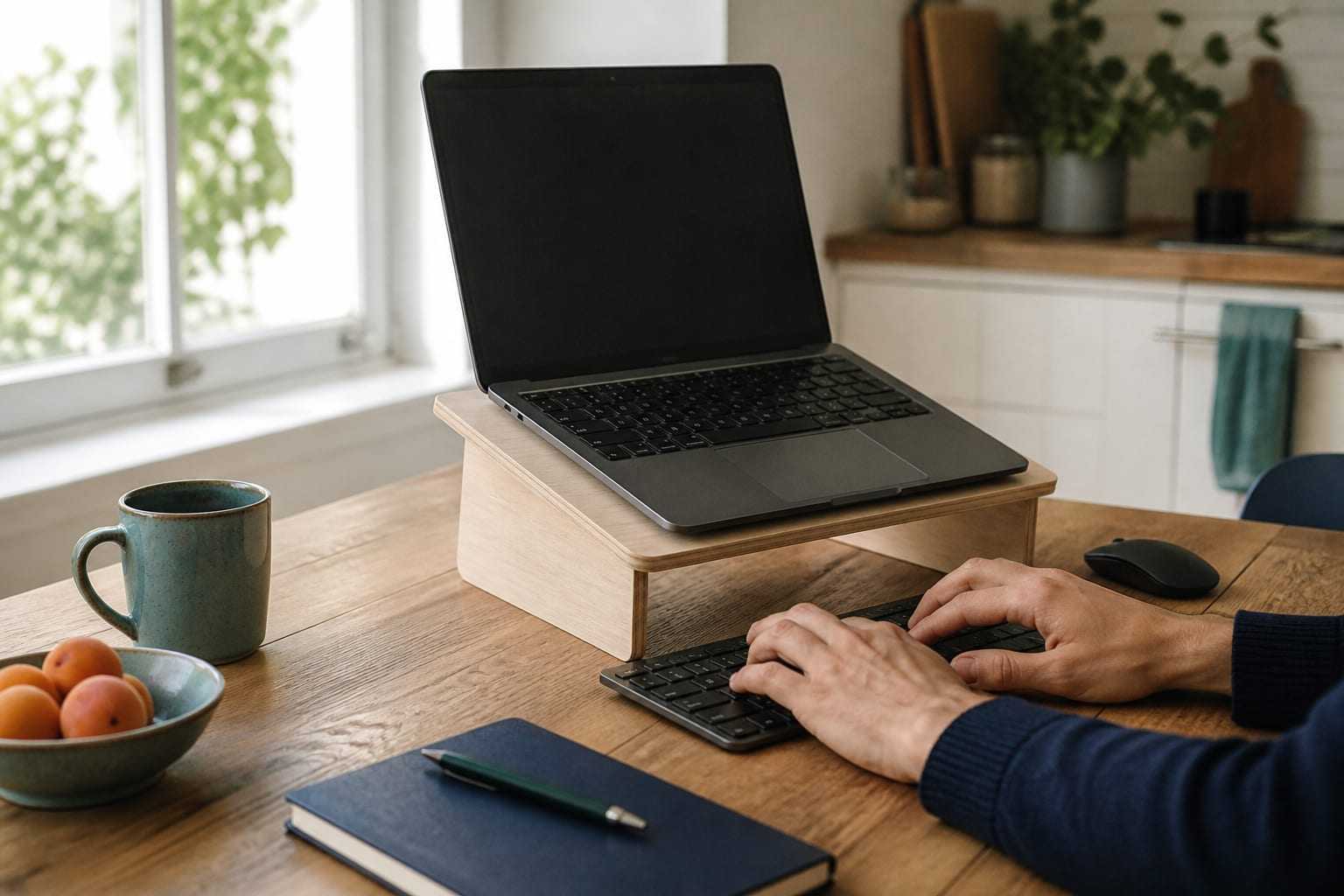
Laptop Ergonomics: Separating Screen and Keyboard
On a laptop, the screen and keyboard are fixed together. How do you resolve that compromise with a riser, external keyboard and mouse? Practical options for hybrid work.